Train models and compare predictions
Train a model on your tables, import an ONNX model, or connect one you already host. Track which version scored each invoice and compare its estimate with how many days the customer took to pay.
Train from a table
The churn example uses tenure, monthly charges, support tickets and contract length. A logistic regression trained on eight synthetic customers returns a score of 0.9413 for the example customer. Saving the feature definitions with the model lets the scoring query apply the same units and scaling.
Compare two model versions
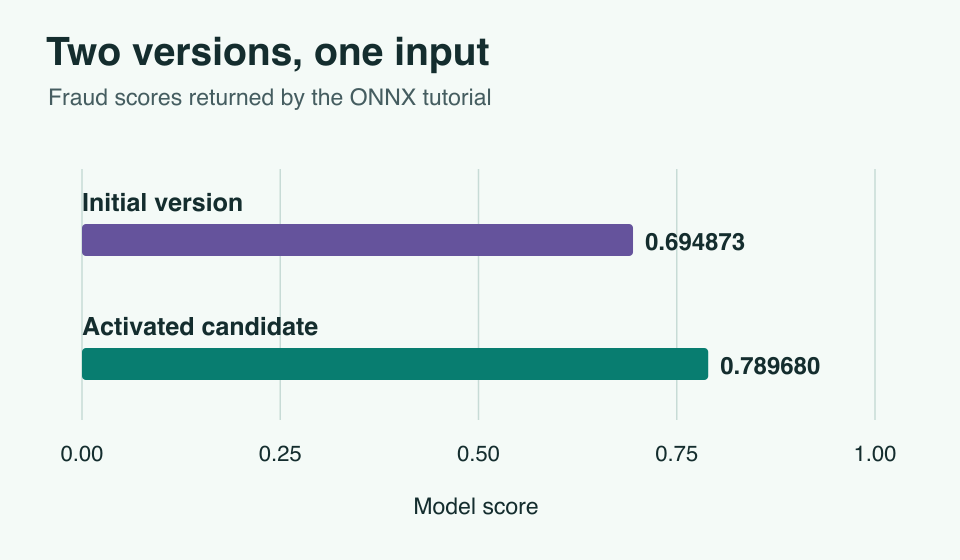
Register an ONNX model and declare its inputs and return type. Stage a new version under the same name, then compare the scores both versions give the same input.
For a days-to-pay model, save the predicted days, invoice ID and model version together. When payment dates arrive, compare actual and predicted days for matching invoices. Mean absolute error tells the finance team how far off the estimates were, in days.
Call an existing endpoint
If you already host a model, register its endpoint, inputs and output in Gnok. The tutorial sends three numbers to the scoring service and checks that it returns the expected score of about 0.729088.